Adobe, Microsoft & IT Certifications
Build creative and technical skills with Adobe Certified Professional, Microsoft Office Specialist, and IT Specialist exams. Practice in GMetrix, keep a skills notebook, and prepare for Certiport testing. Eligible credentials can count toward college credit.
Choose Your Certification Exam
Microsoft Office Specialist (MOS) offers an exam for each application. Pearson’s Information Technology Specialist program offers exams in technical subjects such as web development. For creative tools, explore the Adobe Certified Professional options below. Ask Dr. Riese which exam and software version your class is preparing for.
- Microsoft Word MO-110 · Microsoft 365 Apps
- Prepare a report someone else can navigate. Apply heading styles, build a table of contents, add alt text to an image, and check that a table’s header repeats on the next page.
- Microsoft PowerPoint MO-310 · Microsoft 365 Apps
- Turn that report into a presentation. Choose slide layouts, align images, insert a chart, and run the slide show to check the order and timing of your animations.
- Microsoft Excel MO-210 · Microsoft 365 Apps
- Build a budget for a class project. Organize purchases in a table, use a formula to calculate costs, filter the rows by category, and chart the results. Change a price to verify that the total updates.
- IT Specialist HTML and CSS · Web development example
- Build a portfolio page with headings, links, and an image description. Use CSS to change spacing and layout, then test the page at a narrow screen width. For a different IT Specialist exam, use its own objectives and GMetrix practice set.
Adobe Certified Professional
Turn your design practice into an industry credential. Adobe Certified Professional exams validate skills in individual Adobe applications and are delivered through Certiport. Start with the app used in your class, then confirm the exam version and available practice materials with Dr. Riese.
- Adobe Photoshop Visual Design Using Adobe Photoshop
- Practice selections, layer masks, image adjustments, typography, and exporting for print and the web. Use a portfolio project to explain how you edited an image while keeping the original intact. Photoshop Exam Guide
- Adobe Illustrator Graphic Design & Illustration Using Adobe Illustrator
- Create vector artwork with paths, shapes, color, and type. Build a logo that stays sharp at different sizes, then export files for its intended use. Illustrator Exam Guide
- Adobe InDesign Print & Digital Media Publication Using Adobe InDesign
- Arrange text and images into a clear publication. Practice page layout, styles, linked assets, and preparing a document for publication. InDesign Exam Guide
- Adobe Premiere Digital Video Using Adobe Premiere Pro
- Organize footage, edit a sequence, balance audio, add titles, and export a finished video. Check that your project communicates its message clearly from beginning to end. Premiere Exam Guide
- Adobe Express Content Creation & Marketing Using Adobe Express
- Create consistent campaign graphics and short videos for a defined audience. Practice brand styling, accessible content, and choosing formats for different publishing channels. Express Exam Guide
- Adobe Acrobat Pro Document Creation & Management Using Adobe Acrobat Pro
- Build and organize PDFs, revise content, and prepare documents for sharing. Practice review tools and accessibility checks as part of a professional document workflow. Acrobat Pro Exam Guide
Adobe also lists exams for After Effects, Animate, Dreamweaver, and Firefly. Review the full Adobe certification catalog for current options.
Train & Test in GMetrix
Sign in to your GMetrix student account. Choose Redeem Code and enter the practice access code your instructor provides. Open the assigned product and exam version. For Microsoft Office or Adobe practice that runs inside the application, use the classroom computer with GMetrix Skills Management Software and the matching app version. Adobe also links to CertPREP practice tests powered by GMetrix in its exam guides.
Learn the task in Training Mode
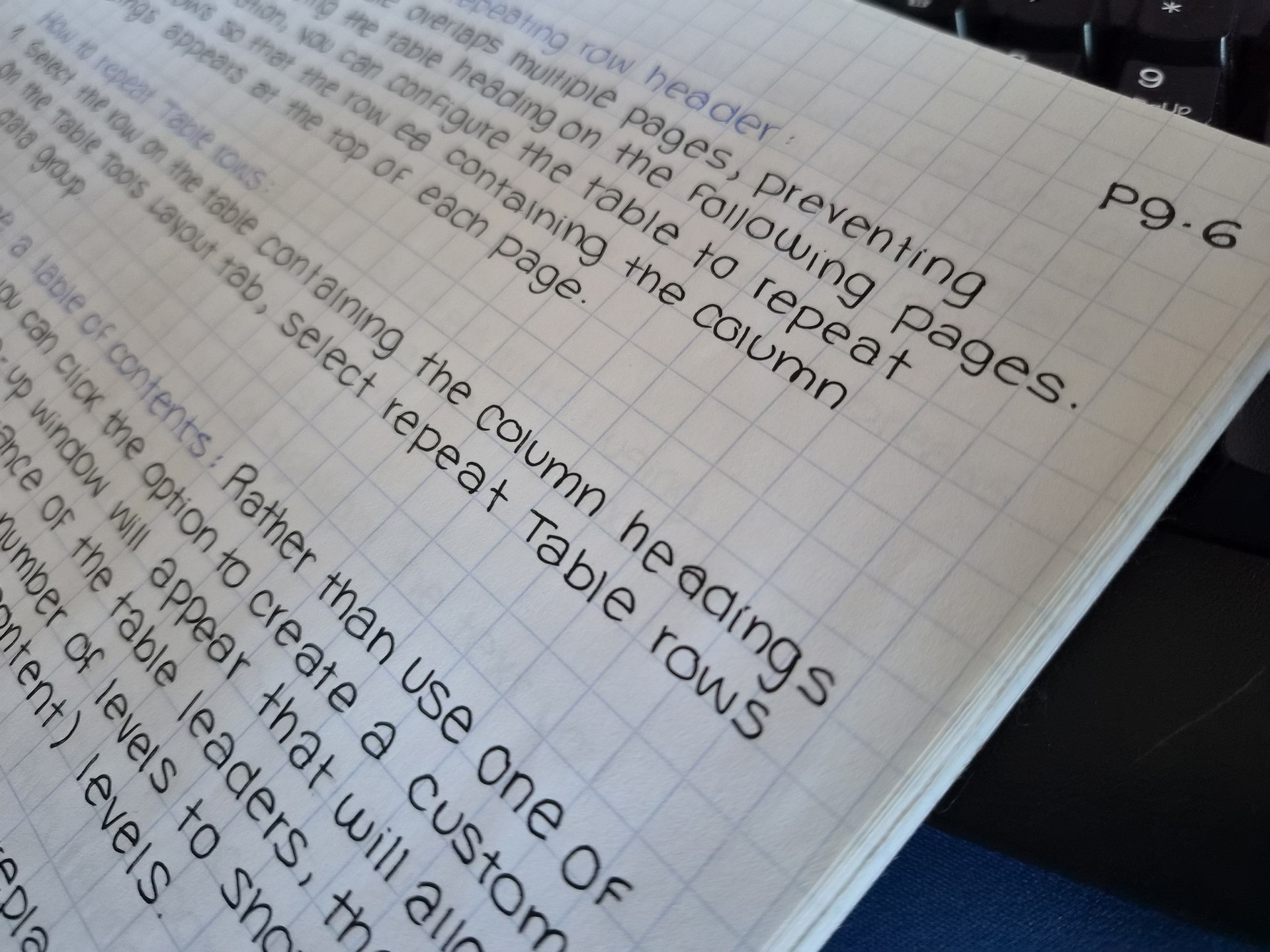
Work at your own pace. Try the task first, then use the feedback or help to correct it. If you miss a repeating-header task in Word, create a table that spans two pages. Select the header row, choose Table Layout › Repeat Header Rows, and check the top of the second page in Print Layout.
Check your readiness in Testing Mode
Try a timed practice exam on your own. Feedback appears after you submit. Open the results, list each missed skill, and use those topics to build your notebook. On your next attempt, compare the topics you can now complete independently with those that still need practice.
Take the Official Exam in Certiport Compass
GMetrix gives you experience working with the tools, reading task instructions, and managing your time. When you can repeat the skills independently, review your results with Dr. Riese and arrange your official exam through a Certiport Authorized Testing Center.
- Before exam day, create or verify your Certiport candidate account. Confirm your exam title, version, appointment, and exam voucher or school testing license with your instructor. Your GMetrix code gives you access to practice.
- At the testing center, sign in to Certiport’s Compass exam delivery system as directed. Check the exam name on screen. A proctor authorizes the session, and you complete the exam independently.
- After the exam, review your score report. Passing the official exam earns the corresponding certification. Save the credential details so you can include them in your portfolio and request a college credit review.
Earn College Credit While in High School
You can pass an eligible certification exam before graduation and ask a college to count it toward your degree. The American Council on Education (ACE) evaluates the exam. Each college decides whether to award credit, how much to award, and where it fits in your program.
| Official exam | Recommended semester hours |
|---|---|
| Word Associate (MO-110) | 1 in computer applications |
| PowerPoint Associate (MO-310) | 1 in computer applications |
| Excel Associate (MO-210) | 1 in computer applications |
| IT Specialist in HTML and CSS | 3 in HTML programming |
The listed MOS recommendations cover exams taken September 1, 2024 through August 31, 2027. The HTML and CSS recommendation covers July 1, 2025 through June 30, 2028.
Adobe College-Credit Recommendations
The Adobe exams below each carry an ACE recommendation of one lower-division semester hour for the listed evaluation period. Select an exam or use the ACE National Guide to match your certification record.
| Adobe exam | Recommended semester hours |
|---|---|
| Photoshop — Visual Design | 1 in digital illustration |
| Illustrator — Graphic Design & Illustration | 1 in graphic design |
| Express — Content Creation for Marketing | 1 in advertising design |
| Acrobat Pro — Document Creation & Management | 1 semester hour |
These Adobe recommendations cover September 1, 2024 through August 31, 2027. Match both your exam version and completion date to the ACE record. A recommendation does not guarantee that a college will award credit.
The reviewed InDesign and Premiere Pro records recommend one semester hour each for November 1, 2023–October 31, 2026. For later exam dates or other Adobe products, check for an applicable ACE recommendation before planning on credit.
Ask How the Credit Applies
Give the college registrar the exact exam name, software version, and date you passed. Ask, “Does this certification count toward a required course or an elective in my major? Which official transcript or credential should I send?” If you pass several Adobe or Office exams, ask whether their credits can be combined or overlap with the same course requirement.
Check the ACE National Guide entries Microsoft’s college credit guidance Adobe’s Certification & College-Credit Guidance
Adobe credit information checked November 19, 2026 against the ACE National Guide.
Set Up Your Certification Notebook
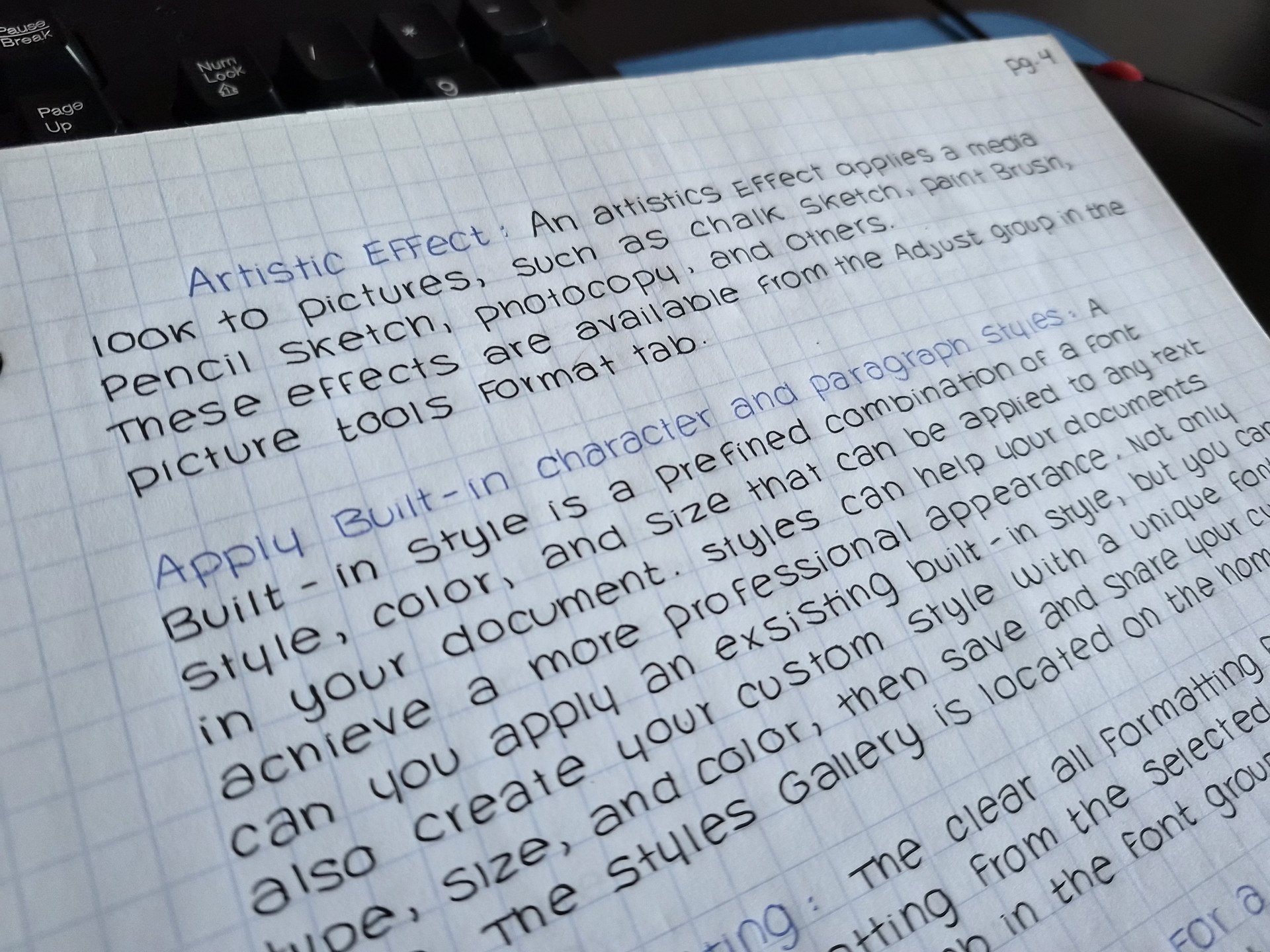
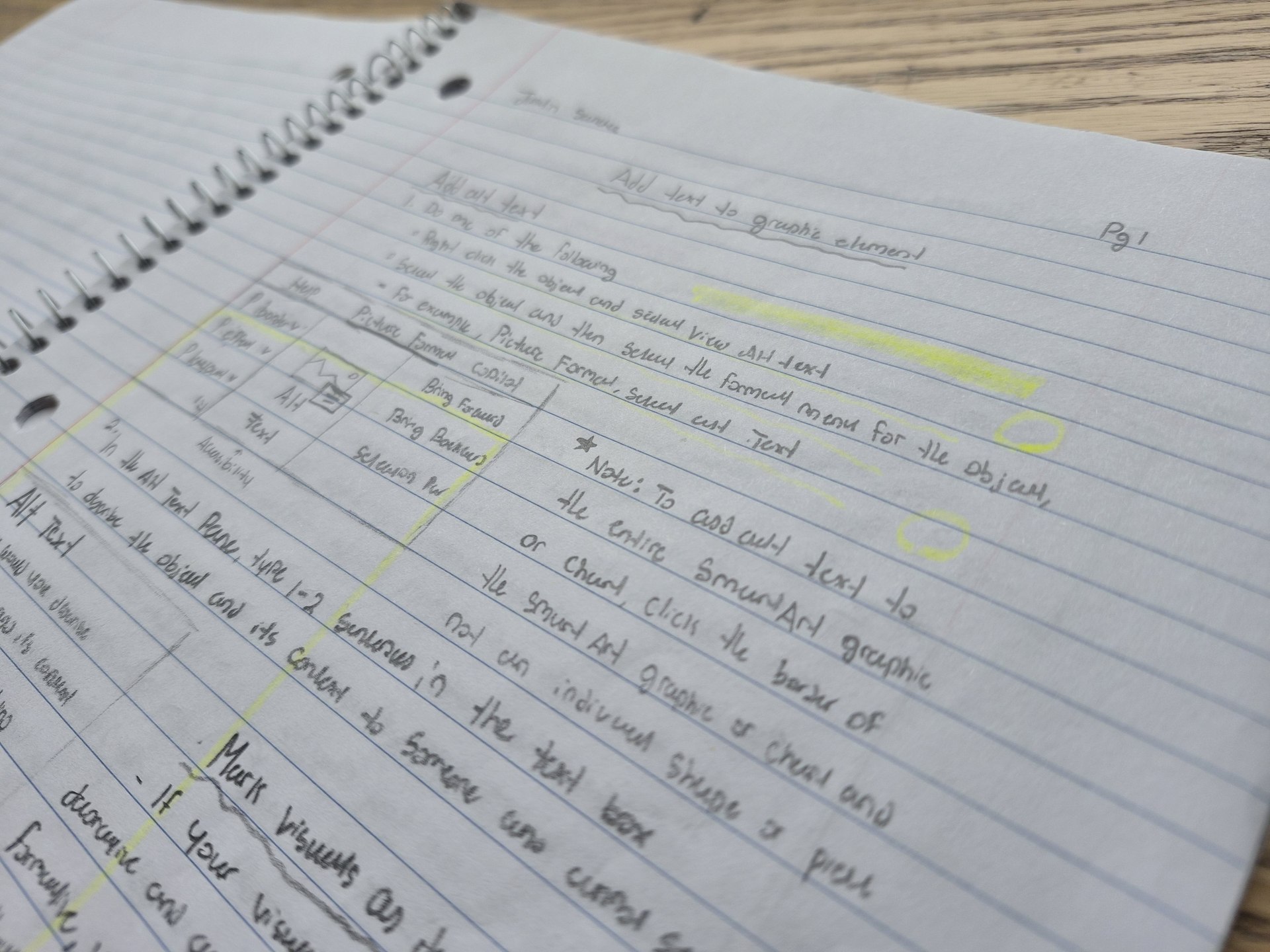
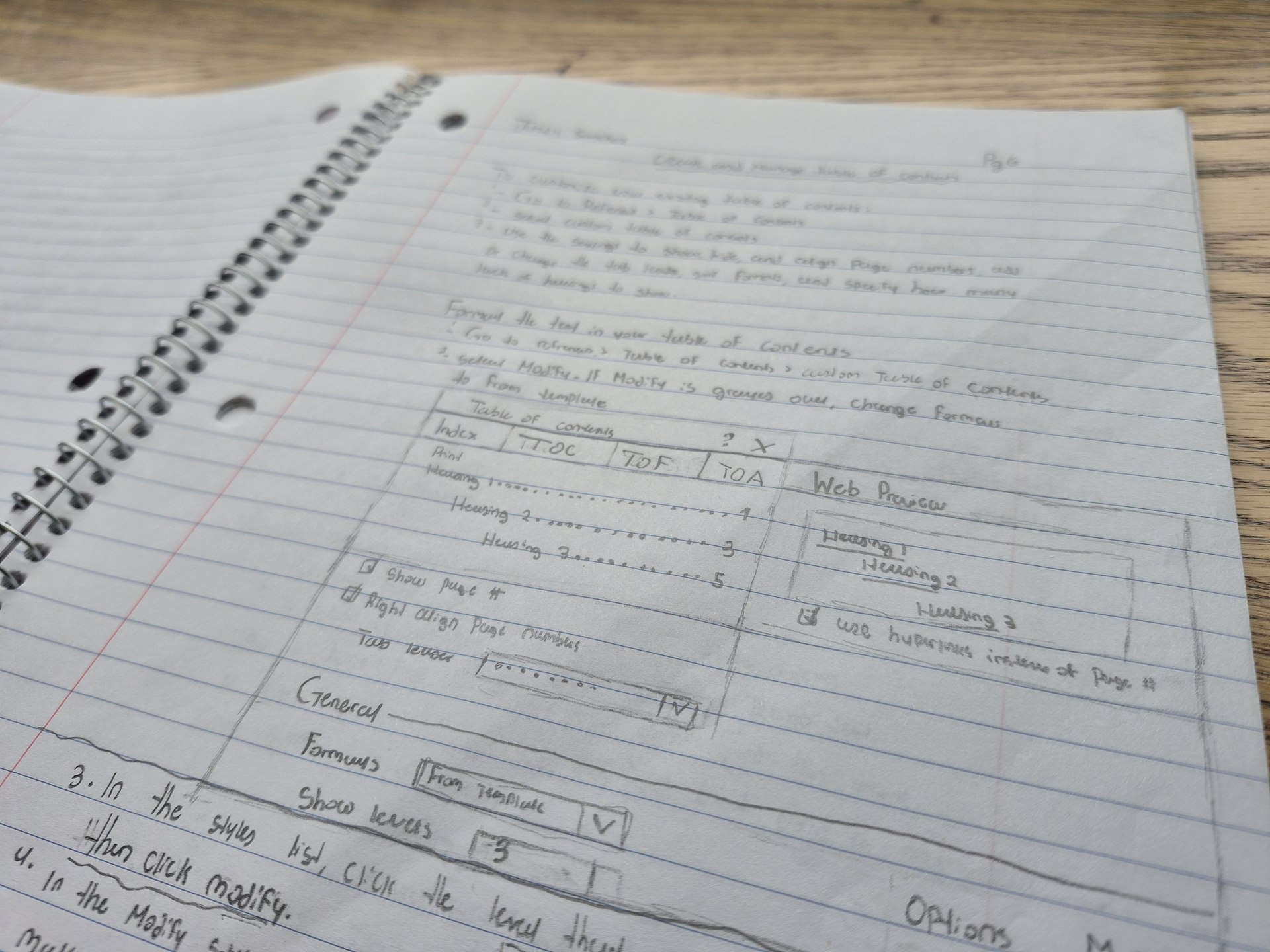
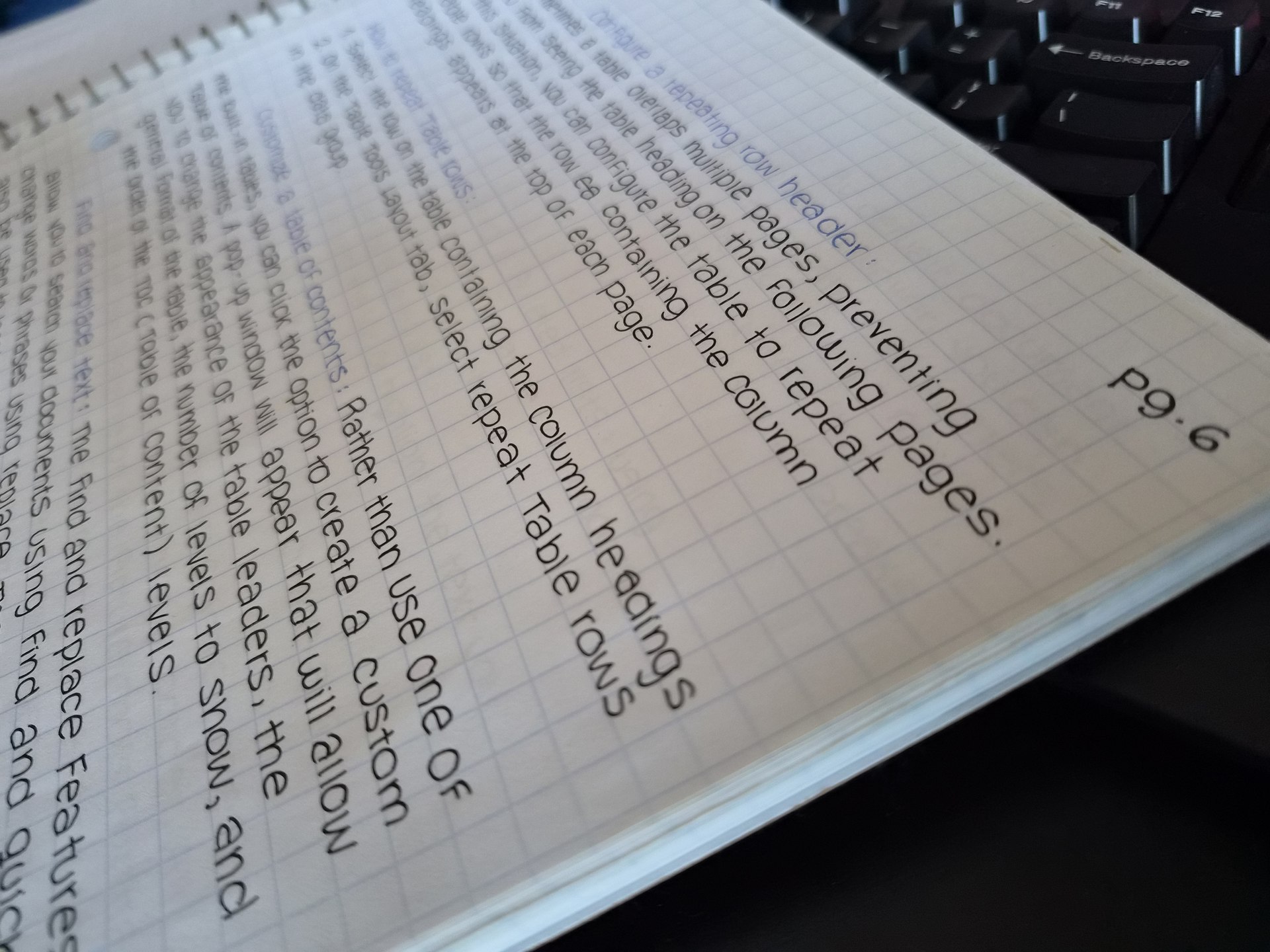
Use Dr. Riese’s rubric after each practice attempt. The notebook gives you a way to demonstrate individual progress during marking-period notebook checks. Keep it clear enough that a classmate could find a topic and follow your correction.
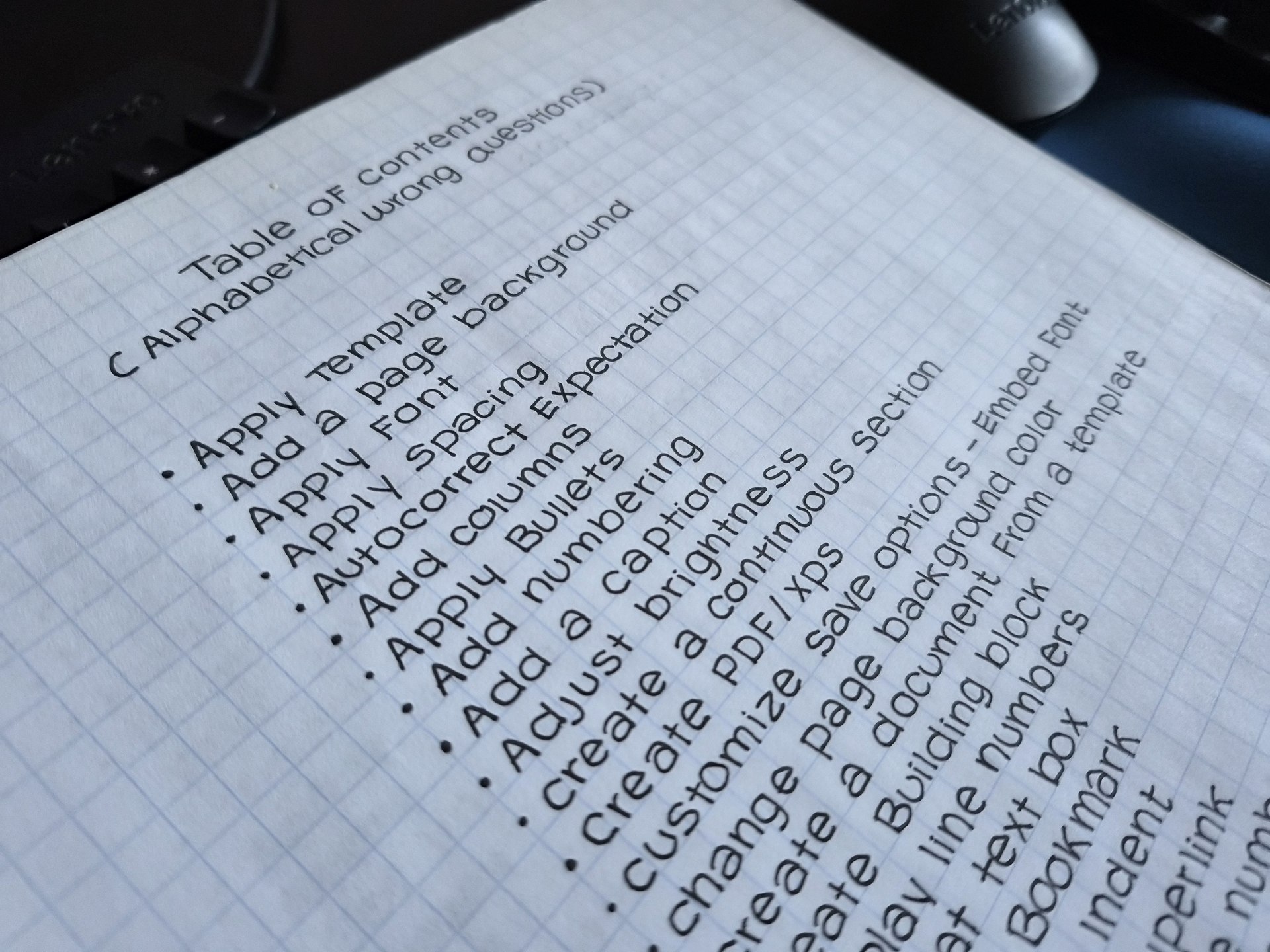
- Collect every missed or unfamiliar term. Start at the beginning of your notebook. Turn each task into a topic you can look up. For “Create a table,” write Table under T. For “Apply a style,” write Style under S.
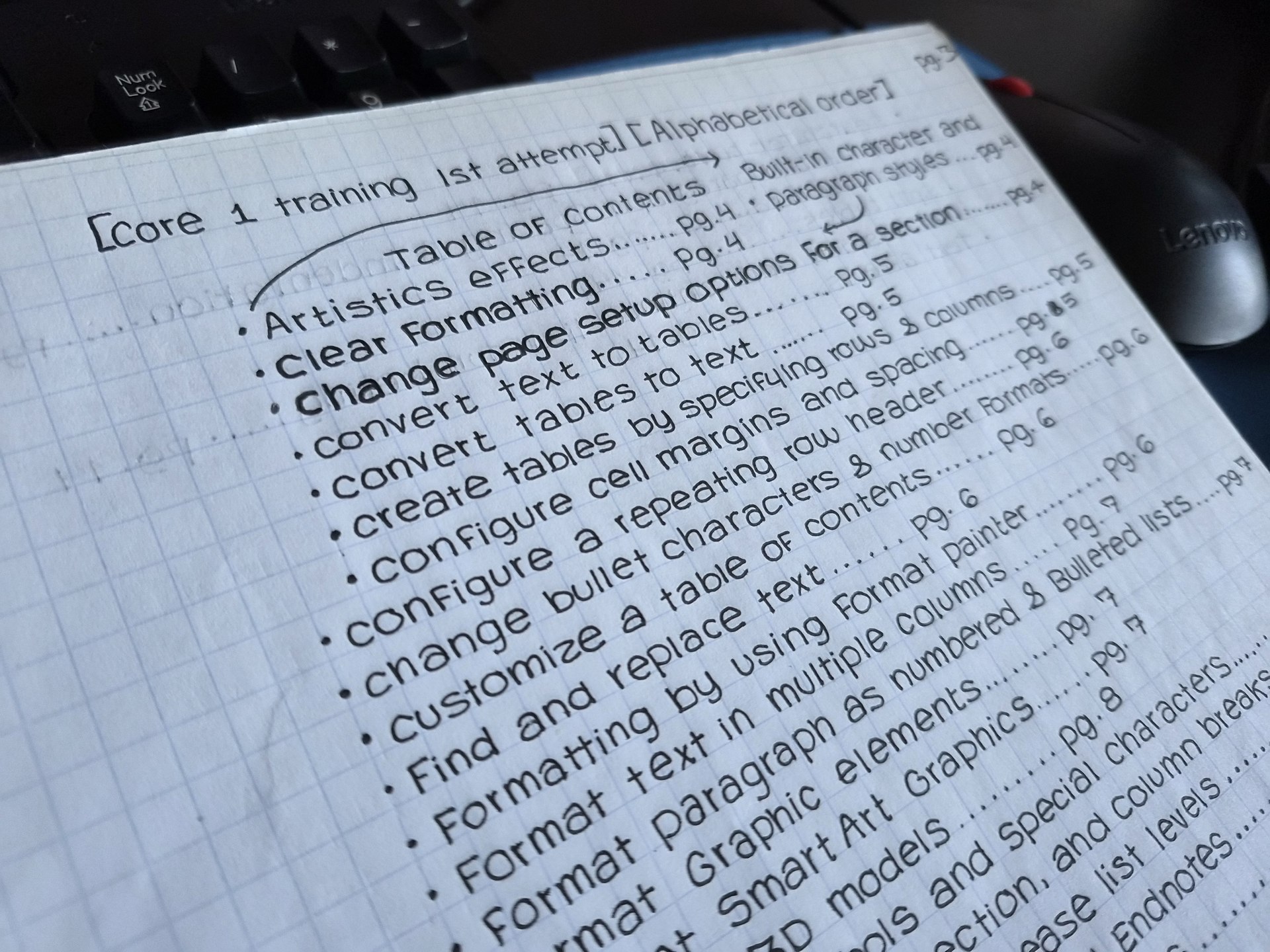
- Build a table of contents for the specific test. Give it a title such as “Word Test 1 Training — First Attempt.” Arrange the topics alphabetically by topic name. Number every notebook page, including the contents pages, and put the matching page number beside each topic.
- Answer every term in the same alphabetical order. Explain what it means, list the steps that worked, and describe how to check the result. A labeled sketch can help you find a ribbon command or dialog box again.
Download Dr. Riese’s two-page notebook rubric (PDF) Watch the notebook setup tutorial
Notebook Photo Gallery
These classroom photos follow the three steps in Dr. Riese’s rubric. Select any photo for a closer look at the handwriting, page numbers, or sketches.
1. Collect the Missed Terms
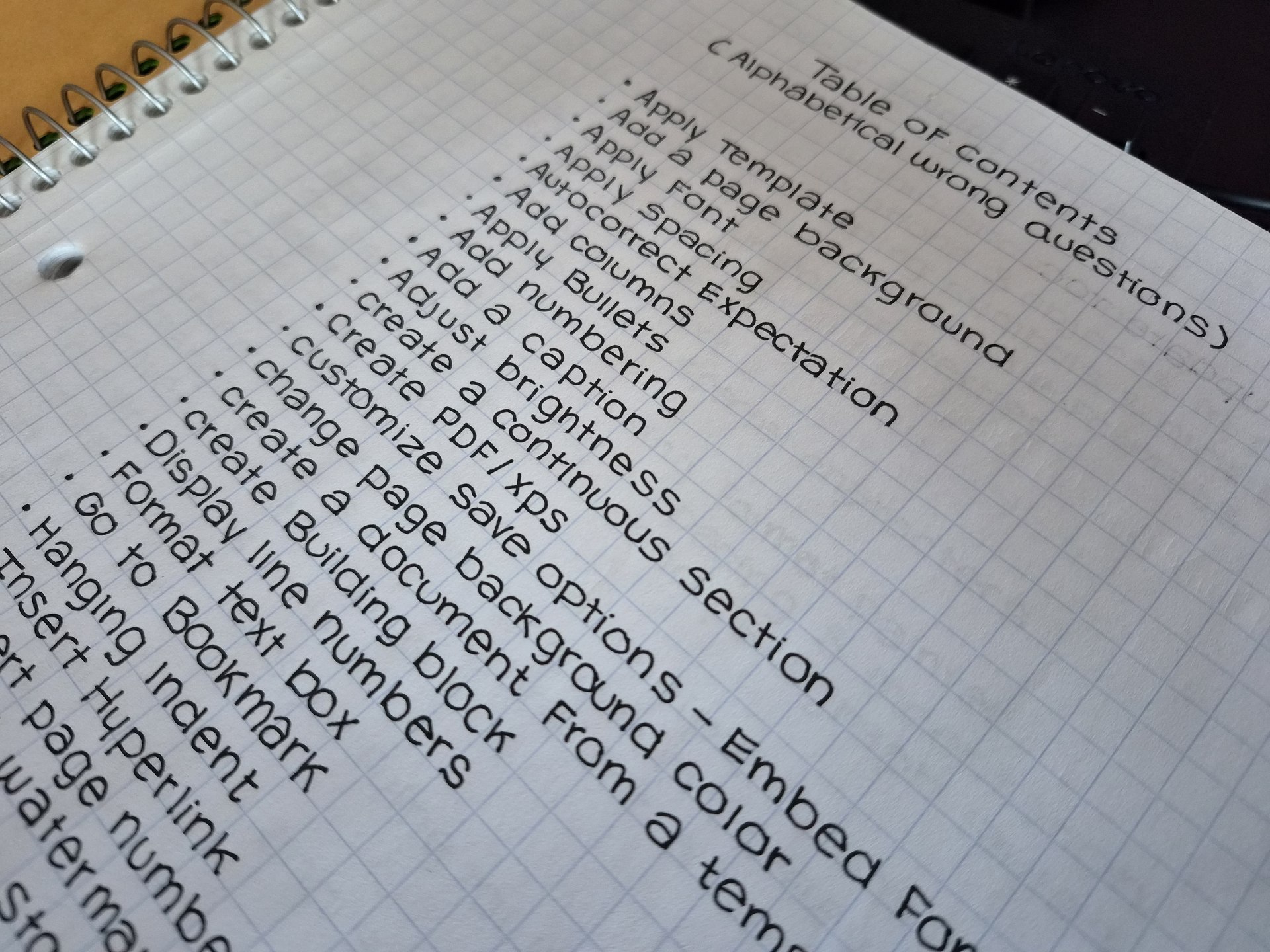
2. Build the Table of Contents (TOC)

3. Write and Check Each Correction